Mouse is very beautiful

Not copy

Showing posts with label Samsung mobiles. Show all posts

Tuesday, November 8, 2011

Samsung Galaxy S II Review


Samsung Galaxy S II Review


At a glance:
+ Speedy
+ Slim and light
+ Superb screen
- Overheating issues caused by intensive processing

18 July 2011 – The Samsung Galaxy S II is currently the world’s best selling Android smartphone, a title bestowed to its predecessor as well. It is not difficult to see why this device is so highly sought-after, as it integrates the best things you could ever want from a smartphone.

In the box:
microUSB cable
Charger set
Headset

Exterior, Controls and Screen

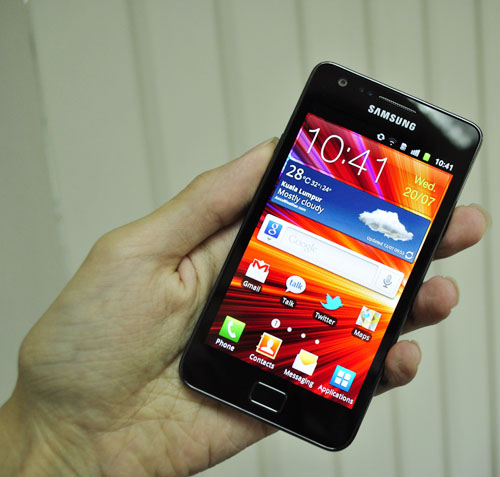
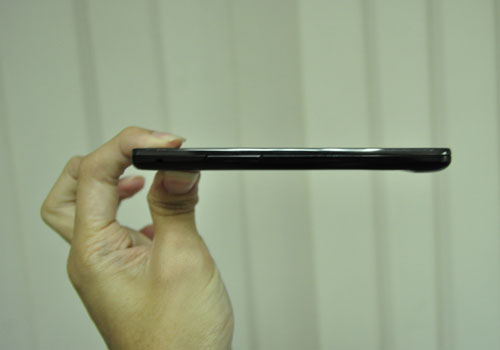
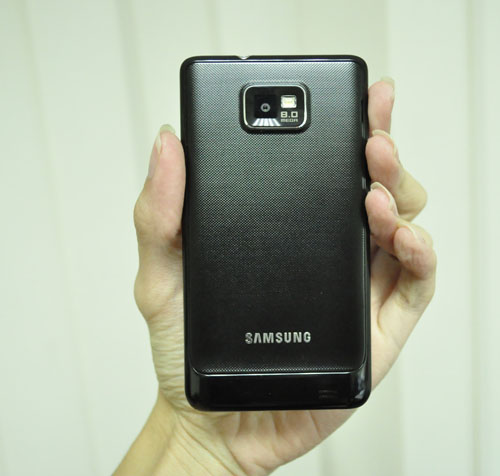
The Samsung Galaxy S II is so slim that it should be illegal – at 125.3 x 66.1 x 8.5mm, it is currently the thinnest smartphone available right now. Unsurprisingly, at a near weightless 116 grams, the Samsung Galaxy S II is also among the lightest out there.


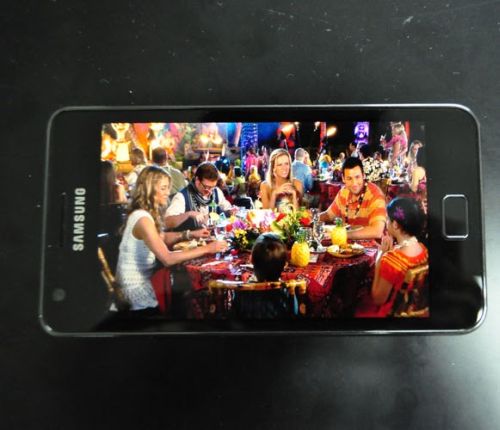
A 4.3-inch, 480 x 800 pixel display on the Samsung Galaxy S II is impossible to miss, and as soon as you turn the device on, you will be treated to a visual spectacle unlike any other. The Gorilla Glass reinforced screen with Samsung’s patented Super AMOLED Plus technology renders every detail and colour to the most minute level.


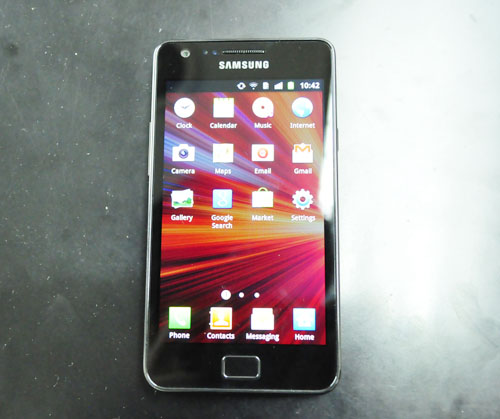
Samsung went with the minimalist approach when designing this device, evident with a single Home key that adorns the bottom of the screen. It is however, sandwiched in between the touch-sensitive Menu and Back buttons. Then there are the volume control and power buttons, which oppose each other at the sides of the device.


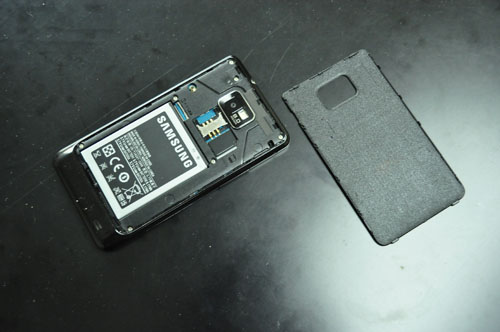
The 1650mAh battery should last users roughly a day of moderate to heavy usage, though you could probably push that limit to about two days if you are conservative enough.

Features


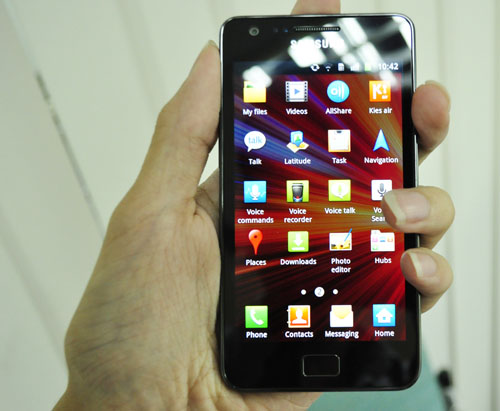
As you would have come to expect, the Samsung Galaxy S II is shipped with just about everything up to date. Out of the box, it runs on a previously new version of Gingerbread, Android 2.3.3, which you can now upgrade to 2.3.4. The Samsung Galaxy S II also boasts an overhauled TouchWiz 4.0 user interface.

How does this translate to usage experience, you ask? One word - Glorious. The Samsung Galaxy S II’s dual-core 1.2GHz Orion processor handles just about anything you can throw at it with absolutely no signs of being bogged down. Diving in and out of homescreens while opening multiple applications simultaneously proved to be a mere stroll in the park for the engine powering this vehicle of technology. 

With so much screen real estate at your disposal, users can stuff in widgets and shortcuts for easy access, and we absolutely like how everything can be resized accordingly to increase or decrease functionality. Given how intuitive the controls are, having seven homescreens at your disposal to tinker with is a godsend. If that prove insufficient, the built-in folders should help store whatever applications you may have obtained as a result of a download spree.

What you have in your hands at the end of the day is an interface that will, at first, seem a little complicated with all its contextual menus, pinches, zooms and dragging. But if you allow yourself some time to bond with the Samsung Galaxy S II, you will soon be awed by this beast of a device. Power consumption aside, one drawback is how easily the Samsung Galaxy S II heats up when you run some of the more intensive applications.
Camera, Video and Audio


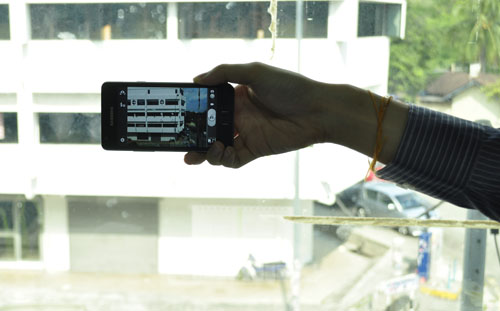
The Samsung Galaxy S II’s 8-megapixel shooter does a commendable job at doing what it was designed for – producing really good pictures with sacrificing too much of the trimmings. The quality is not on par with say, the Nokia N8, but is certainly leaps and bounds better than offerings on most smartphones on the market right now.


Incidentally, it also does 1080p video recording at 30fps, which again, is not at the level of commercial products, but is better than what other smartphones are capable of right now.

When you have a screen this large, one of the most obvious things you would want to do is to play videos on it, and boy, has Samsung really gone all out this time around. The Samsung Galaxy S II now has its own video player that comes with functions that is designed to enhance your experience, such as a screen lock that allows you to watch your movies uninterrupted. Its range of supported files is also very extensive, so you need not really have to worry as to what formats your video are.

The speakers on the Samsung Galaxy S II on the other hand could have been better, but when you plug in a good pair of earphones, it performs rather well. The built-in music player comes with functionalities such as equalizers, as well as a Smart Playlist which remembers all your most-played tracks and places them as favourites for future listenings.
Connectivity


As a high-end device, the Samsung Galaxy S II includes every connectivity feature you can think of, so there is no real need in mentioning them. It would be however, worthwhile to note that the microUSB port also acts as an HDMI out, allowing you to connect your Samsung Galaxy S II to your television.

Verdict

We are hard pressed to find anything wrong with the Samsung Galaxy S II, because it is as flawless as a smartphone can get. It may be a little pricey for some, but if you do decide to plop down the cash for this, you are assured of the fact that you are getting the best Android smartphone on the market that money can buy. Even as time goes on, its high specifications would mean that it borders on being future-proof, so you will be sticking to this for quite some time to come.

Samsung launches phone Galaxy R processor from NVIDIA


Samsung launches phone Galaxy R processor from NVIDIA


Have announced, "NVIDIA" and "Samsung Electronics" for the launch of the latest model of phones, "Galaxy" smart "Galaxy R" (GALAXY R).


Is based smartphone, which has a screen measuring 4.19 inches, the high-processing chip model "Tigra 2" (Tegra2) from "NVIDIA" along with the operating system "Android 2.3", known as "Gingerbread".

Adopting a "Galaxy R" also on GPU "G-Force" (GeForce) to achieve the possibility of rapid browsing of the Internet in addition to support for the application of the "Adobe Flash Player" (Adobe Flash Player), which speeds up the physical components of the phone from his performance significantly. Moreover, the phone enables the said review of high resolution video clips and play games within the technical standards of high quality.

And can be "Galaxy R" customers to complete many tasks very efficiently, and browse the Internet with the possibility to download the pages and content-based program "Flash" Flash very quickly, not to mention the follow-up films with a high degree of accuracy.Customers can also access to the games compatible with a processor, "Tigra", using the application "Tigra Zone" (Tegra Zone) available through the "Android market".

On this occasion, said Michael Reveld, general manager of mobile phones in the "NVIDIA": "The phone has ultra-new, launched 'Samsung' potential 'Tigra' enormous field of multimedia, and it meets all the aspirations of the customers in the products and one of the most powerful manufacturers of phones in the world. "

?Samsung's new Mobile Galaxy Notebook or Tablet

?Samsung's new Mobile Galaxy Notebookor Tablet


Super Screen 5.3 inches AMOLED HD
Processor 1.4 GHz dual-core
Android Gingerbread
Pen to write on the screen
Camera 8 mega imagine 1080p HD
Thickness of the phone less than 1 cm (9.55 mm)


Samsung launches latest Mobailadtha Wave 3


Samsung launches latest Mobailadtha Wave 3


Specifications

1.4GHz Samsung Exynos SoC
a 4? Super AMOLED screen
5 megapixel camera (capable of 720p HD video recording
WiFi
WiFi Direct
Bluetooth
GPS
3GB of built in memory
microSD card slot (supports up to 32GB)
1500mAh battery

 Samsung Galaxy SII and Galaxy Tab LTE/4G Versions Unveiled
  
Galaxy SII

Samsung have unveiled new versions of both the Samsung Galaxy SII and the Galaxy Tab at the IFA in Berlin.

The new versions support LTE, or 4G, meaning you'll get much faster internet on those devices. 4G is five timers quicker than the fastest 3G connection and will enable downloading of a whole song in just 0.3 seconds and a movie in two minutes.

Sadly, the 4G/LTE network isn't available in the UK at the current time but it is available in the US and this is likely to be where the two new devices launch first.

Even more infuriating for UK citizens is that the Samsung Galaxy SII LTE is an upgraded version of the original. The screen now comes in at a massive 4.5 inches while the processor has been improved to  1.5GHz. The battery is also better but that's necessary for the extra power strain placed on the mobile by the 4G connection.

The Galaxy Tab LTE has an identical specification to the original 8.9 inch version apart from the support for the new super-fast mobile network.

We do hope the UK gets its 4G network operating as soon as possible so we can all benefit from the latest in mobile technology.

Samsung Galaxy SII Sales Hit 10 Million !

Samsung Galaxy SII Sales Hit 10 Million !


Samsung Galaxy SII


Samsung have announced that they have now sold over 10 million units of the Samsung Galaxy SII.

The Android smartphone launched back in May across Europe and Asia, while the US launch only took place earlier this month, which makes these statistics even more staggering.

Amazingly, Samsung sold 3.6 million Galaxy S2's in its home market of Korea alone, while 3.4 million were sold across Europe and another 2.3 million across Asia.

If the Galaxy S2 proves successful in the US then these figures will grow at an astounding rate. Even at its current installed user-base the Galaxy S2 is the biggest threat to the iPhone's dominance in the premium smartphone market. As well as the recent US launch Samsung have launched a new White version of the Galaxy S2, which should boost sales further.

Apple must be concerned about Samsung's growing market share and this is reflected in the fact they and Samsung are locked in patent lawsuits.

Samsung reunites with 20:20 Mobile after three years


Samsung reunites with 20:20 Mobile after three years


Samsung reunites with 20:20 Mobile after three years

Distributor 20:20 Mobile is understood to have regained its authorised Samsung status three years after it was fired for allegedly handling grey stock. The deal apparently does not include accessories.
Both 20:20 Mobile and Samsung declined to confirm or deny that an official arrangement has been put in place.
Mobile News understands 20:20 Mobile has been working “under the radar” with Samsung for the past few months supplying Samsung devices to a small number of accounts including MVNO partners. 20:20 Mobile customers include Sainsbury’s, Morrisons, Tesco, Asda, Phones 4U, Comet, DSGi, Amazon and Argos.
Brightstar Europe will remain the sole provider of Samsung handsets for the supermarket chain Tesco, however.
Executives from 20:20 Mobile attended Samsung’s launch of the Galaxy Note smartphone (pictured) at Battersea Power Station recently.
Samsung will now be added to 20:20 Mobile’s official handset portfolio, which includes Huawei, Sony Ericsson, LG, RIM and HTC.
It also means Samsung is being handled by all major UK handset distributors such as Brightstar Europe, Data Select and Micro-P.
When 20:20 Mobile lost Nokia to Micro-P and Ingram Micro two months ago 20:20 Mobile managing director James Browning (pictured) said a number of manufacturers were interested in filling the void.
The new relationship with  Samsung has been kept low-key for the past few months because 20:20 Mobile did not want the Samsung association to harm its attempts to hang on to the Nokia account.
Apparently the ruse has worked. Nokia is understood to have been unaware of the new Samsung deal, which played no part in its decision to leave 20:20 Mobile.
Three years ago, 20:20 Mobile was fired as a Samsung distribution partner by then Samsung vice president of mobile Mark Mitchinson, who is now masterminding Huawei’s UK device launches to the channel.
The Crewe-based distributor claimed the stock was made in Samsung’s factory and was surplus to previous orders. It was then sold on local markets as unofficial stock.
Mitchinson also axed 20:20 Mobile as an official accessory distributor in 2009 for selling counterfeit chargers to UK customers.

Monday, November 7, 2011

Samsung Epic 4G Touch Full Review: Has It All


BUILD & DESIGN
This is one of the biggest phones that I've reviewed in recent memory, but it's not the sort of thing that you really notice until you try to sit down with it in your pocket. The device is very wide, but it's right under the limit of where it would be difficult or uncomfortable to hold.
Samsung Epic 4G Touch from Sprint
It's very thin too, which certainly helps. The back of the device is textured, but in a good way -- it increases grip without being too sharp or annoying, though it does seem to hold on to dust in a major way. I found myself cleaning off the back of the phone almost as often as the front!

Display

The display truly is epic, so you could say that this phone is well-named. The 4.52-inch display is one of the largest I've ever used, and I really enjoyed being able to interact with the content on the device, rather than wasting a lot of my time scrolling and squinting.

The Super AMOLED Plus display is indeed super sharp, and I just can't say enough good things about this screen. There was nary a pixel or jaggy edge to be seen, and I am also quite pleased by the outdoor performance of this display. With some phones you have to adjust the brightness, adjust your position and the viewing angle, etc. just to get a glimpse of what's on the screen. I didn't have that problem with the Epic Touch, which makes it much more useful as an on the go navigation and entertainment device.
Keyboard

There's no physical keyboard here, so you'll be using the virtual QWERTY keyboard on the display. That large screen makes this easier than usual; the virtual keys are a bit larger than normal and therefore easier to hit with more accuracy.

Samsung Epic 4G Touch from Sprint
I was disappointed by the lack of Swype, but I don't have any other complaints about the keyboard--it just works.

Other Buttons & Controls

The power button is on the top right side of the phone, which I found to be a source of endless frustration. It's a little thing perhaps, and unimportant to most, but not to me. I think it's because I'm left-handed, and I generally use smartphones with one hand -- I had to adjust my grip every time I turned the phone on. The button just isn't in the right spot (it's "supposed" to be on the top edge of the phone) and the Epic unlock screen requires a swipe up and to the right, starting on the bottom left corner.

The volume up/down buttons are on the left side of the phone; you can also use them to control the camera's zoom level. The headphone headphone jack is the only thing you'll find on the top of the phone, and the micro USB charge/sync port is on the bottom.
Samsung Epic 4G Touch Specifications
The microSD card slot is located underneath the back cover of the phone, which is easy to remove. That card slot is not under the battery, which is a welcome change -- it's easy to swap out cards if you need to do so, and you won't have to power down your phone.

The Menu, Home, Back, and Search buttons on the front of the device under the display aren't real physical buttons, but capacitive touchscreen buttons. They work well enough, though I would rather have had actual buttons, since they're easier to locate and use in low light conditions.
PERFORMANCE
The Samsung Epic 4G Touch runs Android version 2.3.4 on a dual core 1.2 GHz processor with 1GB of RAM and 2GB of storage memory. I found it to be entirely responsive no matter what task I was performing. I didn't often have to wait for anything that wasn't network dependent. The Quadrant benchmark results seem to agree with that assessment; the Epic received a score of 3256, which blew all of the comparison devices right out of the water.
Samsung Epic 4G Touch from Sprint
Network speed testing provided more mixed results, though it could have been that I was in a relatively poor coverage area when I ran my tests. On the 3G network, results were between 351 to 796 kbps download, 134 to 462 kbps upload, and 99 to 120 ping. With 4G turned on, the download speeds were much faster, ranging between 1831 to 2372 kbps download, 49(!) to 214 kbps upload, and pings of 175 to 183.

Communication

This a 3G/4G hybrid device, so you'll have to choose whether you want to accept the battery life hit if you want to go with the faster 4G network. I was quite pleased with the signal strength; even inside notorious dead zones like my office I was able to get at least two or three bars out of six.

Wi-Fi and Bluetooth work flawlessly, and the Sprint Hotspot feature is handy if you need to share your mobile connection with other devices. I like the way security is handled as well; the password you're required to enter on that other device is your phone number, which is easy to remember.
Call quality is very good, but not exceptional. I didn't experience any major issues such as voices cutting in and out, tinny or otherwise odd-sounding voices, static, etc. Background noise wasn't a problem either, though my callers could tell that I was on a cell phone.
Social networking is handled by the Samsung Social Hub, which attempts to streamline and integrate all of your contacts, email accounts, and social networking activities into one app. It's OK, but it's no HTC Friendstream, and I preferred to use the standard Facebook and Twitter apps available for free on the Android Market.
Samsung Epic 4G Touch Image Gallery
The email experience is Android-standard, but gets a few extra points due to the extra-large display--less scrolling makes the overall experience more pleasant. The web experience is also pretty much par for the course, but I wasn't expecting anything all that different or exciting. Particularly complicated sites, such as the Moodstream site with video and music, can be a little slow to get started, but that can be attributed to network conditions more than the phone itself.

Productivity

All of the standard PIM apps are here: Calculator, Calendar, Clock, and Contacts. A Task application is also included, but please note that this is a standalone app, not anything tied to Google Tasks. The PIM experience is a good one thanks to the Android goodness that automagically pulls down everything from your Google account, but none of the apps appear to be enhanced in any way.

Samsung Epic 4G Touch from Sprint
The Epic Touch includes Polaris Office, which is an app that I hadn't seen until I found it pre-installed on this phone. I really like it, especially the extended support for Office '97 through Office 2007. It supports creation and editing of Word, Excel, and PowerPoint files, and the built in file manager is particularly easy to use. It's a nice alternative to Thinkoffice, which seems to be the standard for Microsoft Office-compatible software on smartphones these days.

Google Maps is included, as well as access to the beta navigation feature. I used it quite heavily during my review and was impressed by its accuracy and ease of use. Turn-by-turn directions with voice prompts were generated quickly, with easy to follow maps that got me exactly where I needed to be, even when I didn't have the slightest idea of how to get there.
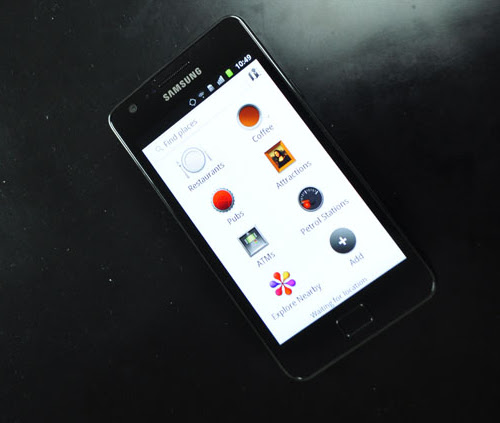
If you're more interested in finding out what's available along the way, you'll be happy to find the Google Places app. You can search for particular places like restaurants, bars, gas stations, ATMs, and attractions, or just get information on everything nearby. If you're already using Google Places on the web, you'll get personalized recommendations, and it's easy to rate and review the places you visit right within the app.
If you're not interested in using the relevant Google apps for navigation, the Epic also comes with TeleNav GPS for mapping and directions, as well as TripAdvisor and even Urbanspoon for restaurant reviews.
Entertainment

There are a bunch of Sprint-specific apps included with the Epic, such as Sprint Music Plus, Sprint Radio, and Sprint TV & Movies. They're all good apps, though they don't really provide access to anything mind-blowing--the whole idea is to encourage users to pay extra monthly subscription fees, after all.

Samsung Epic 4G Touch from Sprint
A standard music player app is included, though I immediately downloaded the Google Music beta app so that I would have access to all of the music that has been uploaded to the cloud. Sound quality on the external speaker is excellent, so you can easily share all of your favorite tunes without having to plug in your earbuds.

Google Books is also included, though if you're already a Kindle user you'll likely want to download the free Amazon Kindle app from the Android Market. There aren't any games or even game demos included with the device. so I downloaded a few of my favorites to try them out. Whether you love Angry Birds or Solitaire or TapFish, you'll probably find something you like, and it might even be free.
Camera

The eight megapixel camera takes truly great photos. I was so impressed with the quality that while I took my regular Sony digital camera with me on my last trip, I didn't pull it out of my bag even once and could certainly have left it at home.

The camera has plenty of extra features that I don't normally expect, such as blink detection, image stabilization, an outdoor visibility mode, and a variety of shooting, scene, and metering modes. There's a self timer mode too, if you can find somewhere to prop up your phone so that you can join in the picture instead of always being stuck behind the camera.
The LED flash helps you take better photos when you need help taking photos in a low light area, but it won't substitute for other lighting. I also ended up with a few bad photos due to exposure issues, but I was generally very impressed with the quality of photos I was able to capture using this phone. I was able to capture photos quickly, without any excessive delays for focusing or writing the file to memory.
Battery Life

I'm not overly impressed with the battery life on the Epic Touch, but it's good enough. I used it as my primary device for two and a half weeks, and one of those weeks I was on the road. I used it very heavily, checking email constantly, taking photos, getting directions, and performing the odd web search or playing a few rounds of Jewels in my down time.

There were a couple of days where it was rather iffy whether or not it would last until I got back to my hotel room, though that shouldn't be much of a surprise. These weren't your regular get to work by nine and leave by six kind of days either; when I'm on the road for business it's more like a 6AM to 10PM kind of day.
CONCLUSION
I really like the Samsung Epic 4G Touch -- it seems that the more I use it, the more I like it. It's quite large, but the big, beautiful screen makes that extra size worthwhile, and it's thin and light enough that you don't really notice just how big it is. Performance is exceptional, voice quality is good, and the camera takes great photos.
Samsung Epic 4G Touch from Sprint
The only downsides, aside from the rather unfortunate power button placement, are the good (but not great) battery life and the very good (but not excellent voice quality). If I were going to buy a new Android smartphone today, the Epic would be at the top of a very short list.

Related Posts Plugin for WordPress, Blogger...